Engineering
We deleted our website
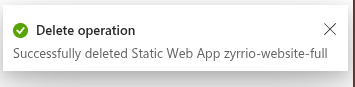
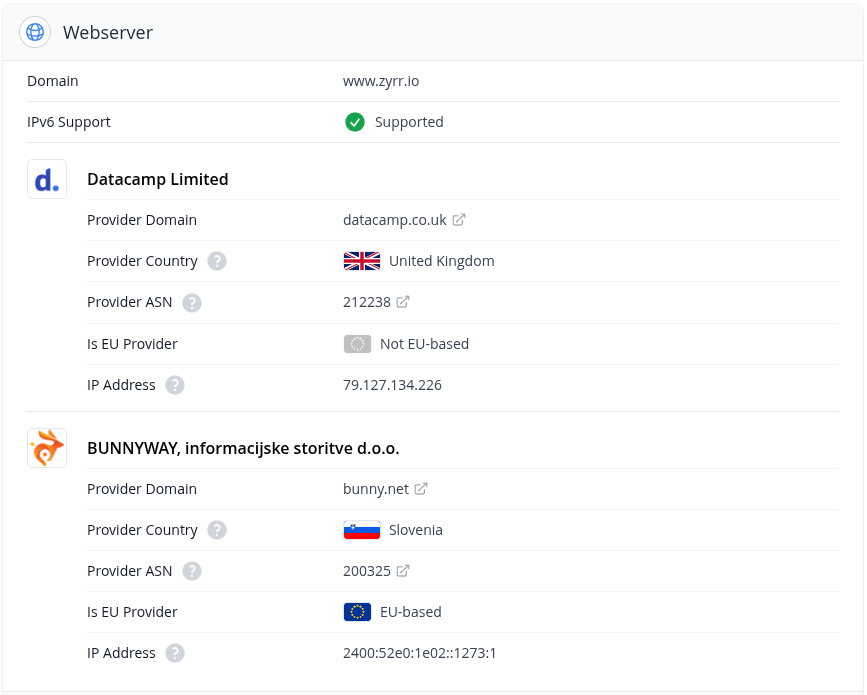
Until recently, we operated our website as a Static Web App on Microsoft Azure. Now we have made the switch to a European solution, which has several advantages:
- We work with local technology
- We have removed the last Azure resources
- We also support IPv6 clients directly
Starting Position
We generate our website using the static site generator Hugo. The data is stored in a GitHub repository, and changes are automatically published through a small pipeline. This workflow is ideal for us as tech-savvy individuals. For our visitors, it means a performant and reliable experience without requiring much maintenance or upkeep.
Candidates for Web Hosting in Europe
We wanted to keep this workflow intact, which became the basis for our decision on web hosting. Our candidates were:
- BunnyCDN
- Scaleway
- Statichost.eu
BunnyCDN
BunnyCDN is a Content Delivery Network (CDN) from Bunny.net, specializing in fast and reliable content delivery for websites and applications. It offers a range of features, including content delivery, acceleration, caching, CDN management, and DNS management. With a bit of tweaking, you can use DNS, file storage, and content caching to host a static website. Another plus for us was the ability to use Terraform to automate the configuration.
Scaleway
Scaleway is a cloud service provider offering a variety of services, including compute instances, storage, networks, and container orchestration. It provides features such as Virtual Private Clouds, container orchestration, serverless functions, and managed databases. Additionally, Scaleway added a CDN last year. Unfortunately, it doesn’t yet support hosting websites on a root domain. Here, too, there’s the option to use Terraform.
Statichost
Statichost.eu is a small service from Sweden, specialized in website hosting and super easy to set up. Just connect with GitHub, set up DNS, and the service takes care of the rest. Unfortunately, their pricing model lacked an option for team access to administration while only hosting a small website. From our perspective, it’s a perfect solution either for sole proprietors or for agencies managing many websites.
Implementation
The implementation consisted of two parts: defining the necessary resources at BunnyCDN and setting up the deployment pipeline for the website.
Resources at BunnyCDN
Four different resources are needed at BunnyCDN to host a static website. I initially created the CDN manually. It defines how content is delivered and through which domains this is possible. These domains must be defined in the DNS as CNAME records. Storage Zones allow you to store and manage content at BunnyCDN. The Pull Zone defines how content is fetched when the CDN hasn’t cached it yet. In our case, the content is fetched from the Storage Zone. The DNS zone defines all our DNS records. Here, I’ve only added the entries for the website as an example.
resource "bunnynet_dns_zone" "zyrrio" {
  domain = "zyrr.io"
}
resource "bunnynet_dns_record" "alias" {
  type   = "CNAME"
  name   = ""
  value  = "xxx-web.b-cdn.net"
  zone   = bunnynet_dns_zone.zyrrio.id
  ttl    = 3600
  weight = 100
}
resource "bunnynet_dns_record" "alias" {
  type   = "CNAME"
  name   = "www"
  value  = "xxx-web.b-cdn.net"
  zone   = bunnynet_dns_zone.zyrrio.id
  ttl    = 3600
  weight = 100
}
resource "bunnynet_storage_zone" "website" {
  # Replace with your storage zone name
  name                 = "xxx-web"
  region               = "DE"
  zone_tier            = "Standard"
  custom_404_file_path = "/404/index.html"
  replication_regions  = ["SE"]
}
resource "bunnynet_pullzone" "website" {
  name = "zyrrio-web"
  origin {
    type        = "StorageZone"
    storagezone = bunnynet_storage_zone.website.id
  }
  routing {
    tier = "Standard"
  }
}
resource "bunnynet_pullzone_hostname" "root" {
  pullzone    = bunnynet_pullzone.website.id
  name        = "zyrr.io"
  tls_enabled = true
  force_ssl   = true
}
resource "bunnynet_pullzone_hostname" "www" {
  pullzone    = bunnynet_pullzone.website.id
  name        = "www.zyrr.io"
  tls_enabled = true
  force_ssl   = true
}
Deployment Pipeline
The deployment pipeline defines how changes to the website are automatically transferred to the Storage Zone and then the cache is cleared. For this, we simply use the GitHub Action bunnycdn-storage-deploy.
- name: Deploy to BunnyCDN
      uses: ayeressian/bunnycdn-storage-deploy@v2.4.1
      with:
        source: "public" # Use this folder as source for deployment
        destination: ""
        storageZoneName: "xxx-web" # Replace with your storage zone name
        storagePassword: "${{ secrets.BUNNY_STORAGE_PASSWORD }}"
        accessKey: "${{ secrets.BUNNY_ACCESS_KEY }}"
        pullZoneId: "xxxxx" # Replace with your pull zone ID
        upload: "true" # Upload files to storage
        remove: "true" # Remove all files from storage before uploading
        purgePullZone: "true" # Purge pull zone after upload
        purgePullZoneDelay: "5" # Delay in seconds before purging pull zone
        maxRetries: "5"